How To Make A Collage In Photoshop
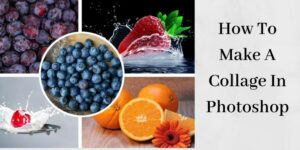
collage made in photoshop

Remember as a kid how fun it was to make collages from cut out magazines pictures? How long has it been since you made one? Well, buckle your seat belts because I’m going to show you how simple it is to design a collage in Photoshop. It may seem complicated at first, but just make … Read more

How To Edit Photos In Photoshop Using The Clone Stamp Tool

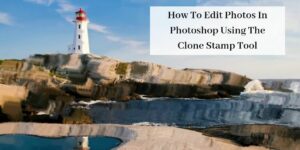
lighthouse on ocean

In Part 1 of this six-part series, I talked about the first six tools in the Photoshop toolbar. I hope you’ve experimented using each of these tools, and are developing a comfort level with them. In this post, I’ll be covering the clone stamp. It gets its own post because it’s one of the most-used … Read more

How To Use The Eyedropper Tool In Photoshop

woman holding eyedropper

When it comes to using the eyedropper tool in Photoshop, I was late to the party. Of all the tools in the Photoshop toolbar, the eyedropper tool is the one I learned last. Here’s a brief tutorial on how to use this oft-forgotten little gem of a tool. The Eyedropper Tool in Photoshop The eyedropper … Read more

How To Add Sun Rays In Photoshop Tutorial

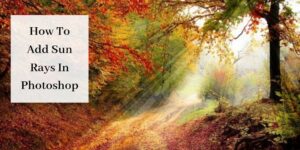
sun rays in forest

Have you ever taken an amazing photo, but the light wasn’t right? Perhaps, it was too flat or just needed some extra flair. Aren’t we lucky we have Photoshop?! In this tutorial, I’m going to teach you how to add sun rays in Photoshop. Adding Sun Rays in Photoshop Follow these steps to add sun … Read more

How To Create A Cartoon Effect In Photoshop

create cartoon effect in photoshop

Photoshop is amazing for creating all sorts of cool effects. You’re in the right place if you’ve always wanted to learn how to create a cartoon effect in Photoshop. Although, several steps are involved, once you do it two or three times you’ll be a pro. Let’s get started. Creating A Cartoon Effect in Photoshop … Read more

How To Create A Round Image In Photoshop [Tutorial]

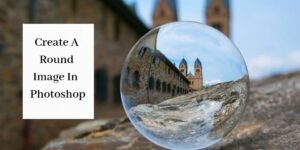
round image of old building

You know those cute little bio boxes people have on their websites with a round photo of themselves followed by a short bio? I think they look awesome. Keep reading because I’m going to teach you how to create a round image in Photoshop. How To Create A Round Image In Photoshop Step By Step … Read more

How To Use The Eraser Tool In Photoshop

Using The Eraser Tool In Photoshop - Girl Jumping On Green Background

There are three eraser tools in Photoshop. The Background Eraser tool is really handy for changing the color of a background, eliminating strands of hair from a subject, or isolating an object in a photo. This tool sometimes gets lost in the shuffle so in this tutorial I want to demonstrate how to use the … Read more

10 Photoshop And Lightroom Presets: Create Amazing Images

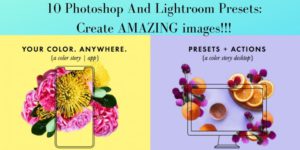
Photoshop And Lightroom presets and actions graphic

I don’t know about you but I love Lightroom and Photoshop presets and actions. They’re fun and easy to use and they’re incredible time-savers. Plus, they’ll make your images look fantastic. In this post, I’ll be unpacking the features of 10 different actions and presets from a great online company called A Color Story. If … Read more